iDCP - Password Policy
What is it?
The password policy determines the criteria that a password must follow, as well as its durability, in all accounts that access the iDCP portal.
What is it for?
It establishes, disseminates and verifies compliance with good practices in the use of passwords.
Features:
- The password expires after 72 days.
- 3 days before it expires, the system will report it, suggesting the change at that time.
- When the password expires, the iDCP will not be able to be used until it is changed.
- The password must be different from the last 3 passwords used.
- A minimum of 8 characters.
- It cannot contain the username.
- The password must meet at least 3 of the 4 criteria:
- At least 1 uppercase letter
- At least 1 lowercase letter
- At least 1 numeric character
- At least 1 special character.
Examples of operation:
In the Login screen (https://idcp.idisc.es) we gain access with our credentials, the usual way.

When close to the password’s expiration date, a popup appears suggesting a change of password.
The system reminds you to change the password 3 days before it expires.

If the password has already expired, the system redirects you to the password change page and does not allow access to the portal.

If we do not meet the necessary requirements, the passwords do not match, or our current password is invalid,
the system provides the following notifications:
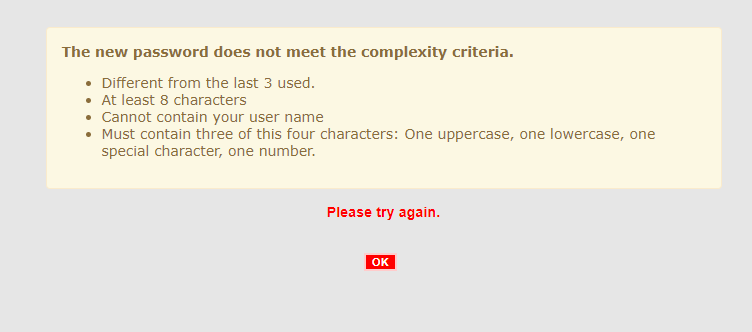
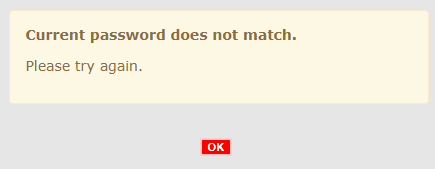
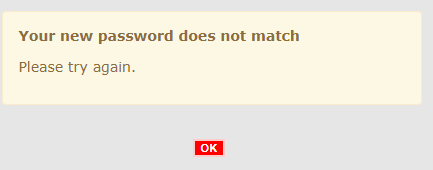
In this case, please check that your password meets the requirements, and if you still receive this message,
contact your PM or iDISC Technical Support (iDCP_support@idisc.com) to have your password reset.
iDCP- Two factor authentication - 2FA
What is it?
It is a way of accessing the portal through two steps. The first is a username and password combination.
The second is through a unique token that is generated on the user's smartphone.
What is it for?
It provides an additional layer of security for accessing the iDISC Collaboration Portal (IDCP).
The system can be accessed if the user's credentials are recognized and a smartphone app is installed to obtain a valid access token.
Available applications
The iDCP two-factor authentication system works with the following applications, which can be found on Google Play or App Store.
It is necessary to have one of them installed on your smartphone.
- Google Authenticator
- Watchguard AuthPoint
- Microsoft Authenticator
There may be more similar applications that work with the system. The ones on this list are the ones that have been tested.
Features:
- Until November 16th, users can enable or disable this double authentication from their iDCP profile.
- The token is renewed every 30 seconds.
- If it is enabled, it will ask us for the token the first time we enter the iDCP from a new computer.
- To facilitate access from the same computer and user, the token is requested every 14 days.
- When logging out explicitly (Management -> logout) and logging in again, the token is requested again.
- In case of loss of smartphone, uninstallation of the application, deletion of data, etc., you have to contact iDCP Support (iDCP_support@idisc.com), so that they can reset the token. Once this step is done, the iDCP will ask us to read the QR code again.
- If it is not enabled, the operation of the login system is the same as it has been up to now.
Step by step guide:
1- Login screen.
We gain access with our credentials, the usual way using https://idcp.idisc.es
2- A QR code appears (the first time we access with 2FA activated).
You must have your smartphone at hand and, from the installed authentication application, you must scan this code.

3- Google Authenticator or compatible app
For Google Authenticator:
- 1. Open the app and tap "Scan QR Code."
- 2. Scan the QR code that appears on the iDCP website.
A new entry will appear in the token list, with the username, domain and a new code.
- 3. You must type the code in the iDCP’s "Enter validation code" field.
With other applications, the system is the same: we open the application,
scan the QR code and a token will appear that we must enter in the iDCP.
Quick tip: the token is refreshed every 30 seconds, type it fast!


If the code is valid, we will gain access to the iDCP. If we click on "Cancel", we will return to the login screen.
- 4- Second and successive logins
If we enter again, it won't ask us for 2FA. If we have closed the session from Management > Logout,
or it has been more than 14 days since we last entered the token, it will ask us for the token,
this time without a QR code. A new token will appear in the application.